
Comparison of neural networks for creating apartment interior designs
An overview of neural networks for interior visualization. Comparing a free universal service with specialized neural networks for redesigning a room based on a photo and creating design ideas.
What We’re Comparing
It’s worth noting right away that there are no neural networks capable of delivering a complete design project that can be directly used to create an interior at the time of writing this article. In our case, we’re looking at images that could potentially inspire a decent project later on.
We’ll compare a neural network for generating images with two specialized neural networks that, as claimed, are capable of high-quality redesigns based on existing room photographs.
1. Stable Diffusion
The Stable Diffusion neural network is available online for free. Simply visit the website stablediffusionweb.com, log in via your Google account, and start interacting. It’s best to communicate with the neural network in English. Let’s ask it to create a bedroom interior in soft red and gray tones.
In the settings, select the filter, in our case “Photographic,” optionally specify the aspect ratio, and write your prompt. You can generate up to 10 images per day for free. The neural network completed the task only on the second attempt, producing a fairly decent interior. But remember, this is just an image, not a full design project.
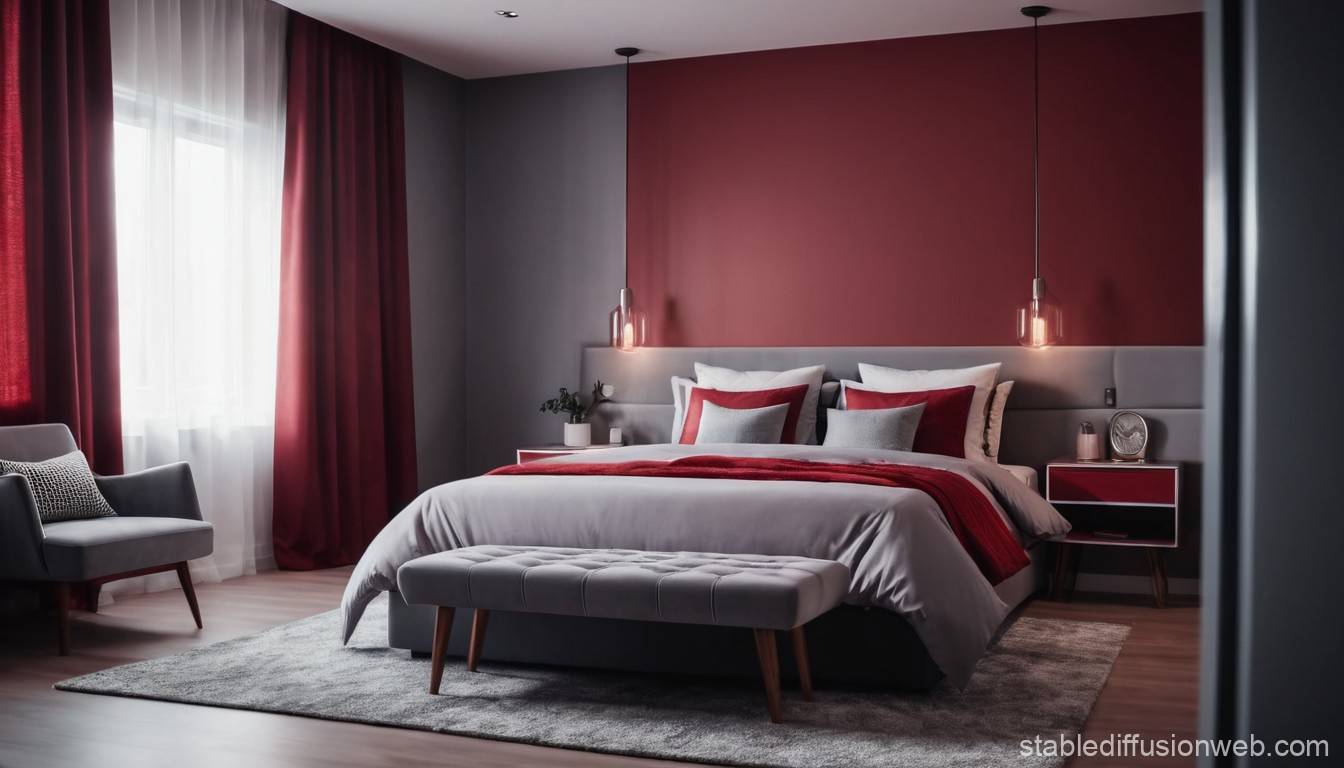 Pros: ability to generate 10 free images per day, can be used for tasks beyond interior design inspiration, includes various functions and filters
Cons: may not work on the first attempt, doesn’t always handle non-English prompts well
2. REimaginehome
Now let’s move on to specialized neural networks, starting with REimaginehome, available at reimaginehome.ai. This tool requires a ready-made photo of the interior you want to modify. It could be an image of your room or just a picture from the internet that appeals to you, though not necessarily to everyone.
Register via Google or email, then start working. Let’s upload the image generated by the previous neural network and request a furniture redesign, selecting a style and other settings. Adding additional text to the request is not possible. The neural network did modify the furniture, but to be honest, we liked the original better.
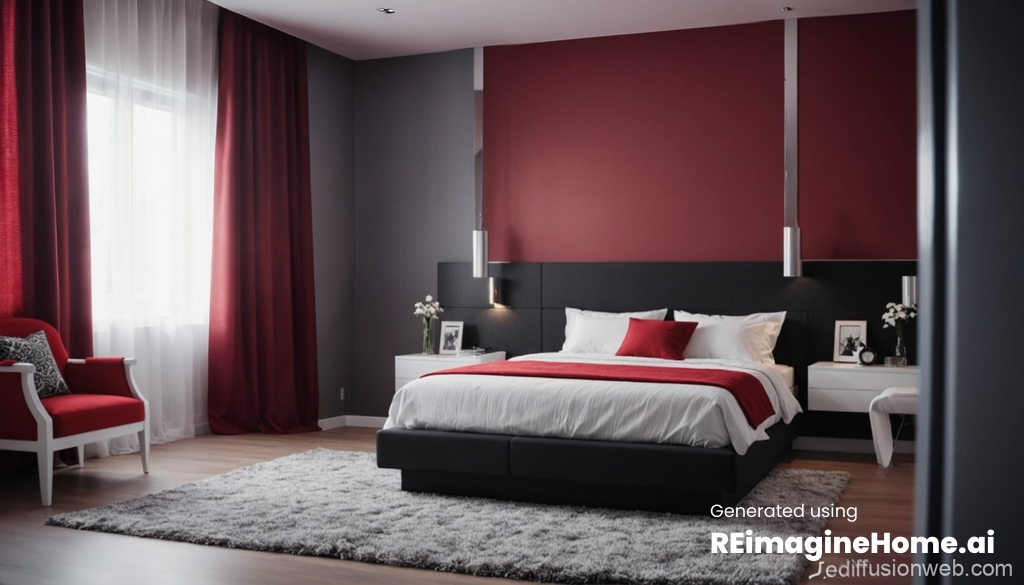 Pros: multiple styles to choose from
Cons: no option to add text to the request, limited to 5 free generations, questionable result quality
3. RoomGPT
Another specialized neural network with a descriptive name, available at roomgpt.io. Let’s perform the same action and upload the first image, after logging in via a Google account. Note that this service allows for only one free generation.
Select a style, specify the room, and wait briefly. Interestingly, you can combine up to 4 different styles in one image. As with REimaginehome, the result was quite strange. The neural network changed all the colors and, roughly speaking, that was it. It’s unclear who might need such a generation and for what purpose.
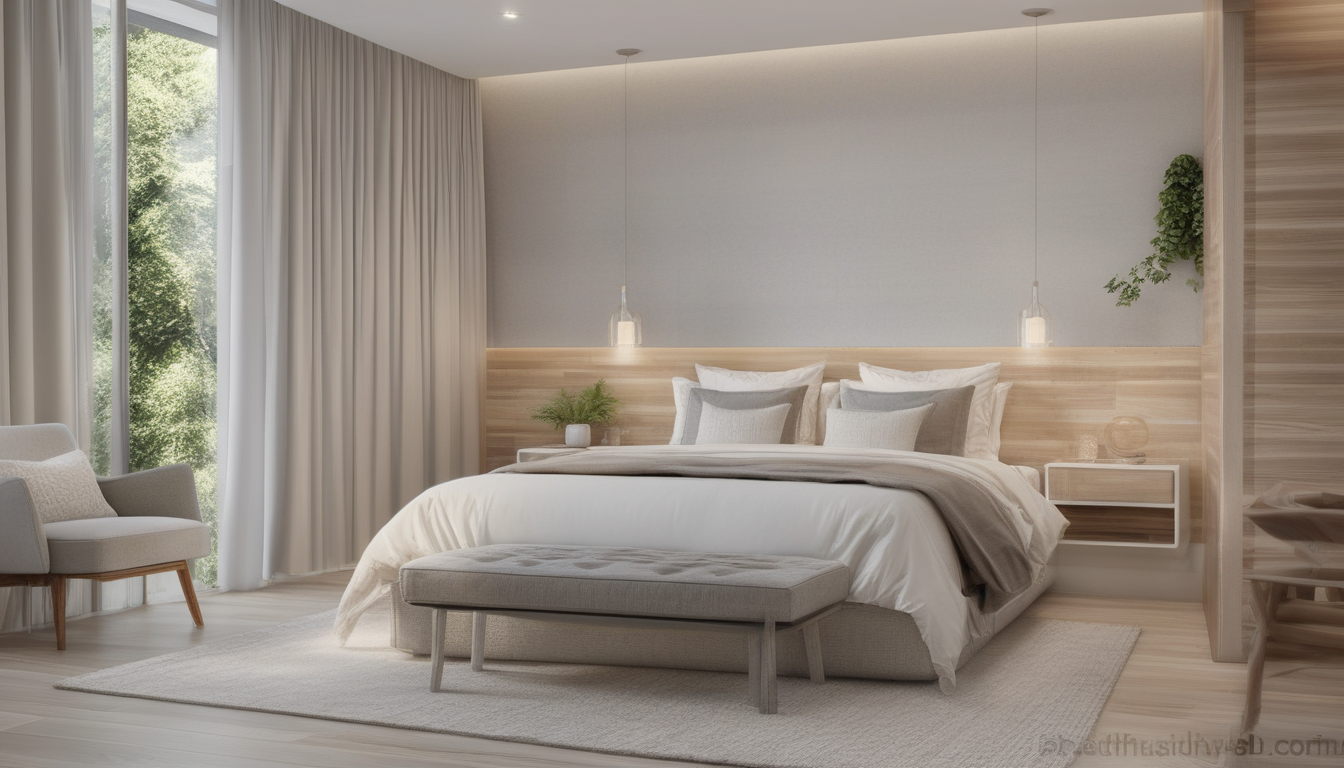 Pros: many styles to choose from, ability to combine styles
Cons: no option to add text to the request, only 1 free generation, very questionable result quality
Conclusions
In our humble opinion, neural networks have not yet evolved to the point where they can generate truly high-quality designs for an apartment or even a single room. Of course, they can be a source of inspiration, but delivering a ready-to-use design project is definitely not within their capabilities. At most, you can expect an image with an interior design concept.
